
GearAndFish is reader-supported. As an Amazon Associate I earn from qualifying purchases. When you buy through links on our site, we may earn an affiliate commission, at no extra cost to you. Learn more.
The best fish finder for a kayak is not simply the smallest sonar unit you can mount. A good kayak setup has to balance screen size, battery demand, transducer fit, GPS needs, and how much cockpit space you are willing to give up. For most anglers, that makes compact 4-inch to 7-inch units the practical range.
Best fish finders for kayaks at a glance
Garmin STRIKER Vivid 4cv is our best overall pick because it keeps the display compact while adding CHIRP traditional sonar, ClearVu scanning sonar, GPS waypointing, and Quickdraw Contours. Step up to the Garmin STRIKER Vivid 7sv when side imaging matters enough to justify a larger screen, larger transducer, and more involved rigging.
Quick comparison
| Fish finder | Best for | Screen | Sonar | GPS / mapping | Main kayak trade-off |
|---|---|---|---|---|---|
| Garmin STRIKER Vivid 4cv | Best overall compact setup | 4 in | Traditional CHIRP + ClearVu | GPS + Quickdraw Contours | Small screen for split views |
| Garmin STRIKER Vivid 7sv | Side imaging from a kayak | 7 in | Traditional CHIRP + ClearVu + SideVu | GPS + Quickdraw Contours | Larger head unit and transducer need more space |
| Lowrance Eagle 5 SplitShot HD | Readable 5-inch IPS display | 5 in | CHIRP + DownScan with FishReveal | GPS / chartplotter features | More cockpit footprint than a 4-inch unit |
| Humminbird HELIX 5 CHIRP DI GPS G3 | Mapping-focused 5-inch setup | 5 in | Dual Spectrum CHIRP + Down Imaging | Internal GPS + Basemap + AutoChart Live | Higher power draw than the simplest compact units |
| Humminbird PiranhaMAX 4 DI | Simple down imaging | 4.3 in | Dual Beam + Down Imaging | No GPS | You cannot mark waypoints or map water |
| Garmin STRIKER Plus 4 | Basic CHIRP + GPS at low power draw | 4 in class | Traditional CHIRP with included dual-beam transducer | GPS + Quickdraw Contours | No ClearVu or SideVu with the included transducer |
Garmin STRIKER Vivid 4cv: Best overall for most kayaks
The STRIKER Vivid 4cv hits a useful middle ground for kayak anglers who want more than basic depth and fish arches without turning the boat into a large electronics project. Garmin pairs the 4-inch display with a GT20-TM transducer for traditional CHIRP and ClearVu scanning sonar, while the built-in GPS can mark waypoints and support Quickdraw Contours.
Best for: anglers who want a compact dedicated display, useful down-looking structure detail, and GPS functions in one small package.
Skip it if: you rely heavily on split-screen views or want side imaging. The 4-inch display is easy to fit on a kayak, but screen area is still limited.
- 4-inch color display.
- Traditional CHIRP and ClearVu sonar with the included GT20-TM transducer.
- High-sensitivity GPS for waypoints, routes, and speed.
- Built-in Quickdraw Contours for creating custom contour maps.
Garmin STRIKER Vivid 7sv: Best for side imaging
If you use sonar to search flats, weed edges, docks, rock transitions, or other structure off both sides of the kayak, the 7sv makes a stronger case than a smaller down-imaging unit. The included GT52HW-TM transducer supports traditional CHIRP, ClearVu, and SideVu, and the 7-inch display gives those views enough room to be useful.
The trade-off is rigging. A 7-inch unit and a side-imaging transducer take more room than a compact 4-inch setup, and the transducer needs an installation that gives its side beams a clear view. On some kayaks that means a dedicated transducer recess; on others it means an arm or adapter. Plan that part before ordering the display.
Best for: anglers who actively search water with side imaging and have a fishing kayak that can handle a larger electronics setup.
Skip it if: you paddle a minimalist kayak, carry the boat long distances, or mostly need depth, temperature, and simple waypoints.
Lowrance Eagle 5 SplitShot HD: Best 5-inch balance
The Eagle 5 SplitShot HD is a strong fit for anglers who find 4-inch screens cramped but do not want a 7-inch display taking over the cockpit. Lowrance uses an IPS screen designed for better visibility at angles and in bright conditions, which matters on a kayak because the unit is often mounted off-center and below eye level.
The SplitShot HD transducer combines CHIRP sonar and DownScan, while FishReveal can overlay fish targets on the DownScan view. Lowrance also uses autotuning sonar to reduce the amount of manual setup needed when you just want to launch and fish.
Best for: anglers who want a more readable screen than a compact 4-inch unit without committing to the footprint of a 7-inch graph.
Skip it if: side imaging is a requirement. SplitShot is the simpler choice; TripleShot is the Lowrance path when side scanning is the priority.
Humminbird HELIX 5 CHIRP DI GPS G3: Best for mapping on a 5-inch screen
The HELIX 5 CHIRP DI GPS G3 makes sense when navigation and mapping matter almost as much as sonar. It combines a 5-inch 800 x 480 display with Dual Spectrum CHIRP, CHIRP Down Imaging, internal GPS, Humminbird Basemap, and AutoChart Live. It also supports compatible premium chart options through its card slot.
For kayak anglers, the appeal is getting a full mapping workflow without jumping to a large 7-inch or 9-inch head unit. The trade-off is power demand: Humminbird lists a 615 mA draw for this model, so it deserves a properly sized dedicated battery rather than a vague assumption that any small pack will last all day.
Best for: anglers who revisit structure, fish larger lakes, or want to build and use contour information from a compact display.
Skip it if: your priority is the lightest possible electronics kit or you do not use maps enough to justify the extra complexity.
Humminbird PiranhaMAX 4 DI: Best simple down-imaging option
The PiranhaMAX 4 DI is intentionally simpler. It gives you a 4.3-inch color display, Dual Beam sonar, Down Imaging, water temperature, and straightforward keypad controls, but it does not include GPS or chartplotting.
That missing GPS is either the reason to skip it or the reason to buy it. If you fish small lakes, ponds, rivers, or familiar water and mostly want depth and a clearer look at structure below the kayak, you avoid paying for mapping features you may never use. Humminbird lists a modest 180 mA power draw, which also makes battery planning easier.
Best for: simple sonar use on familiar water where GPS waypointing is not important.
Skip it if: you need to mark offshore spots, follow routes, or create maps. There is no GPS receiver in this model.
Garmin STRIKER Plus 4: Best basic GPS + CHIRP setup
The STRIKER Plus 4 is the stripped-back alternative to the Vivid 4cv. With the included dual-beam transducer, it focuses on traditional CHIRP sonar rather than ClearVu or SideVu, but it still gives you integrated GPS, waypoint marking, and Quickdraw Contours.
Garmin lists a current draw of 0.23 A at 12 volts for the STRIKER Plus 4. That low draw, compact head unit, and simple transducer make it easy to understand why this format remains attractive on small kayaks.
Best for: anglers who want GPS and dependable traditional sonar while keeping power demand and rigging simple.
Skip it if: you already know you want down-looking imaging. The Vivid 4cv is the more logical Garmin step-up for that.
How to choose a fish finder for a kayak
Kayak electronics are a system. The head unit is only one part of the decision, and the wrong battery or transducer mount can make a good fish finder frustrating to use.
Start with screen size, but do not stop there
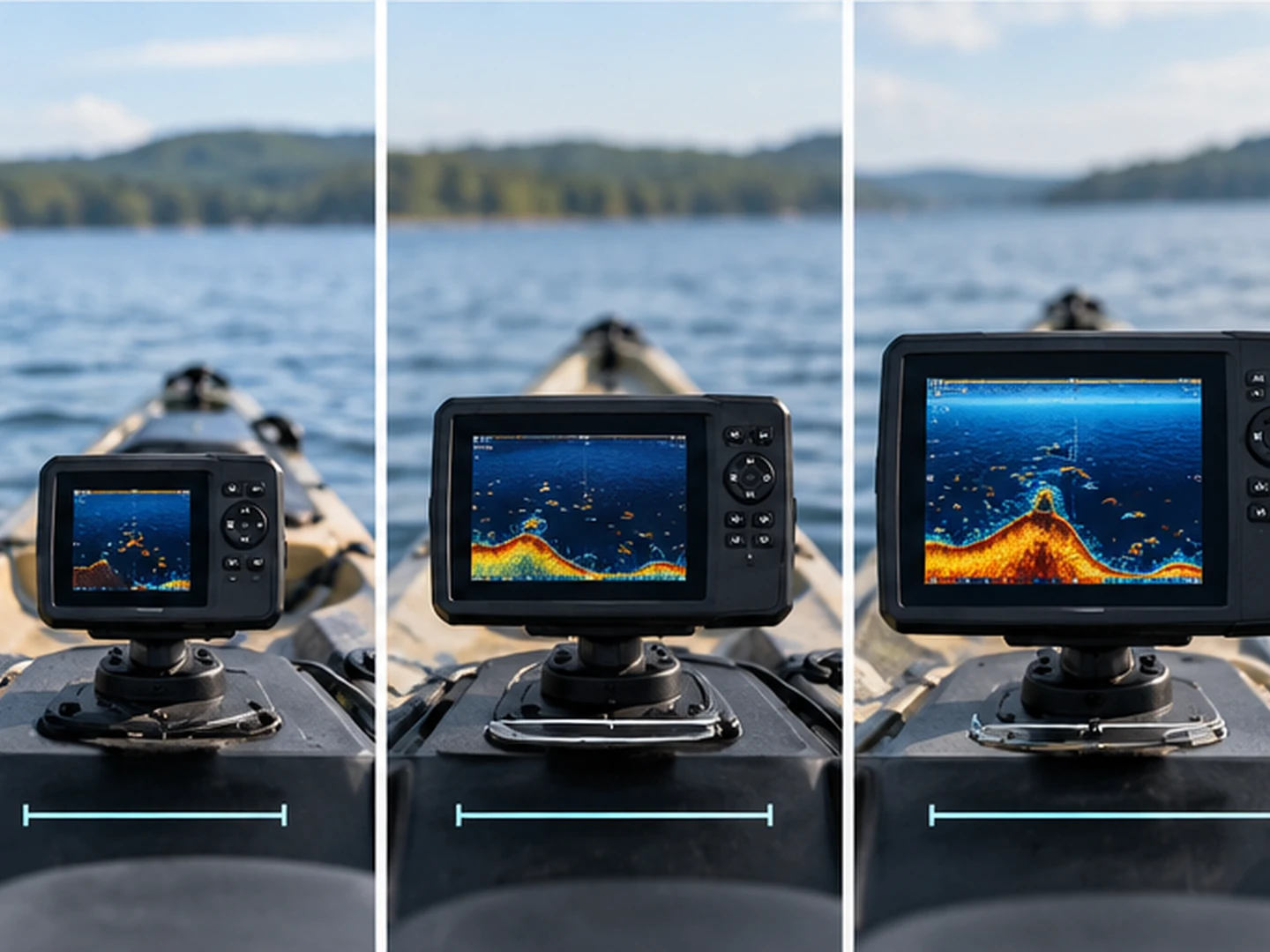
A 4-inch display is easy to mount, easy to carry, and leaves room for rod holders, paddle access, and tackle. A 5-inch unit is a useful compromise when you want more readable detail. A 7-inch screen becomes much better for split views, side imaging, and maps, but it needs more deck space and usually a sturdier mount.
On a kayak, viewing distance matters too. A screen mounted near your knee can be comfortable at 4 or 5 inches. The same screen mounted farther forward may feel much smaller in use.
Decide which sonar views you will actually use
Traditional CHIRP is the baseline. It is useful for depth, bottom hardness, fish arches, bait, and vertical information under the kayak. Down-looking imaging such as ClearVu or Down Imaging adds a more structure-oriented picture beneath the boat. Side imaging searches to both sides and can be extremely useful when covering water, but it brings a larger transducer and makes mounting more important.
Do not pay for side imaging only because it sounds advanced. It is most useful when you are willing to scan, interpret the view, and rig the transducer where both sides remain unobstructed.
GPS can matter more than fancy sonar
GPS is valuable when you fish offshore structure, river holes, weed edges, submerged points, or any target you may want to revisit. Even a simple waypoint can be more useful than another sonar mode if it helps you return to the exact piece of structure that produced fish.
If you only fish small familiar ponds and rivers, a no-GPS unit such as the PiranhaMAX 4 DI can still make sense. The right choice depends on whether location memory is part of how you fish.
Battery and transducer rigging matter as much as the display
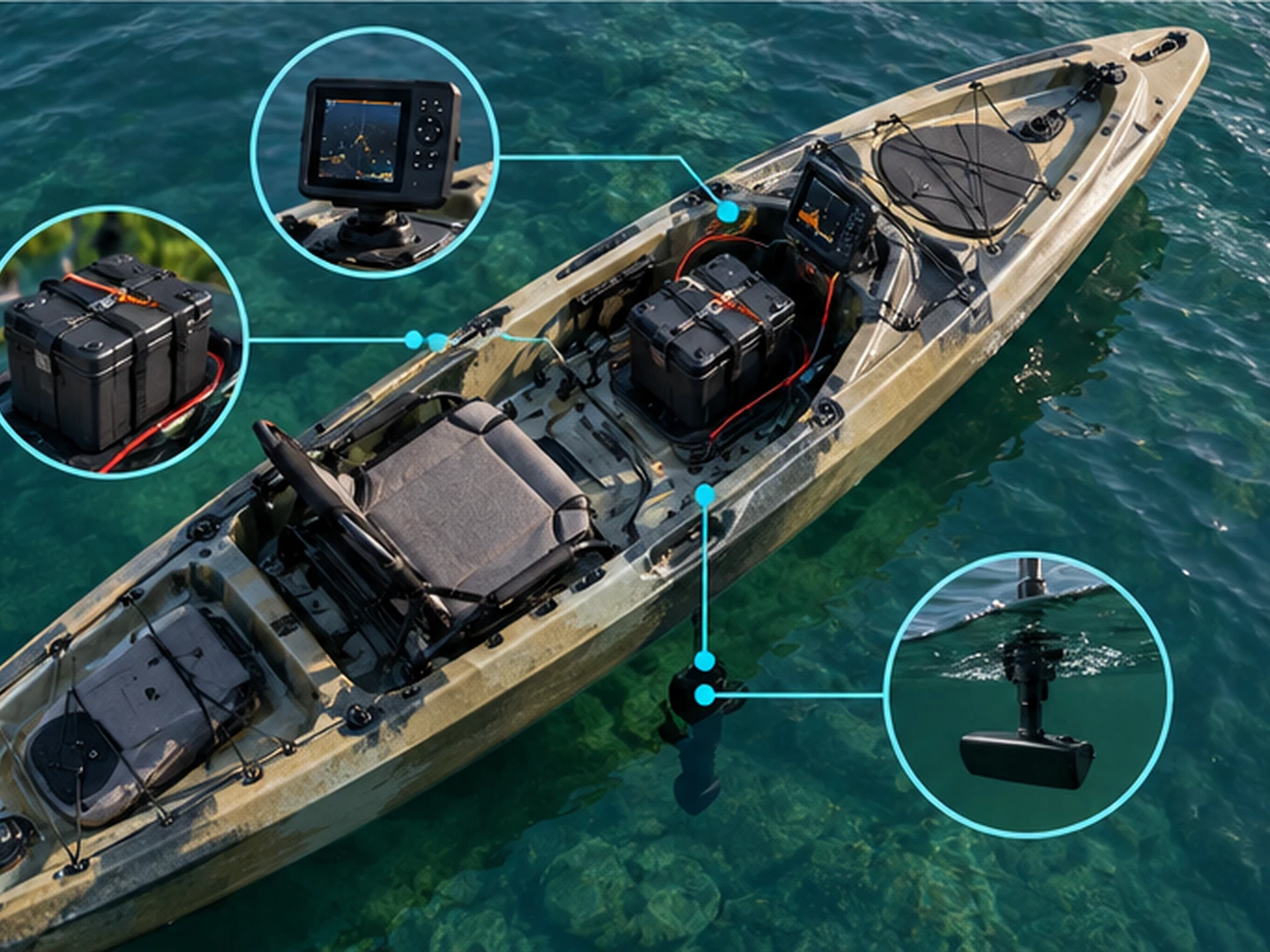
A kayak does not give you the electrical system of a powered boat. Your fish finder normally runs from a dedicated battery that you carry, protect, wire, and charge yourself. That makes current draw a real buying factor rather than a footnote.
Do not size a battery by screen size alone. Check the actual draw for the exact unit, then leave enough reserve for cold conditions, battery aging, brightness settings, and longer-than-planned trips. Use the fuse and wiring guidance supplied by the manufacturer, keep connections protected from water, and secure the battery so it cannot move around inside the hull or crate.
Transducer installation also changes the buying decision. Before ordering a side-imaging model, check whether your kayak has a compatible recess, scupper solution, track-mounted arm, or manufacturer-specific adapter. A smaller down-imaging transducer is often easier to integrate than a long side-imaging transducer.
Which kayak fish finder should you buy?
- Choose Garmin STRIKER Vivid 4cv if you want the best balance of compact size, GPS, traditional CHIRP, and down-looking scanning sonar.
- Choose Garmin STRIKER Vivid 7sv if side imaging is central to how you search water and your kayak can support the larger transducer and display.
- Choose Lowrance Eagle 5 SplitShot HD if a readable 5-inch IPS display and straightforward CHIRP + DownScan setup sound more useful than side imaging.
- Choose Humminbird HELIX 5 CHIRP DI GPS G3 if mapping and chart options are a major part of the decision.
- Choose Humminbird PiranhaMAX 4 DI if you want simple down imaging and do not need GPS.
- Choose Garmin STRIKER Plus 4 if low power draw, GPS, and basic traditional sonar matter more than imaging modes.
How we chose these kayak fish finders
GearAndFish based this roundup on current manufacturer specifications, exact model and transducer bundles, Amazon.com US listings, current kayak-specific search results, and recurring setup concerns from kayak anglers. The conclusions are editorial synthesis rather than first-party product use. We weighted cockpit fit, transducer installation, GPS usefulness, sonar capability, and battery demand more heavily than features that matter mainly on larger powered boats.
FAQ
What size fish finder is best for a kayak?
For most kayaks, 4-inch to 7-inch displays are the practical range. A 4-inch unit saves space and power, a 5-inch unit improves readability without becoming bulky, and a 7-inch unit is better for split views and side imaging if your cockpit and mount can support it.
Do I need GPS on a kayak fish finder?
No, but GPS is very useful when you want to mark structure, return to productive spots, follow a route, or create contour maps. Anglers who fish small familiar water can still be well served by a simple sonar-only unit.
Is side imaging worth it on a fishing kayak?
It can be, especially when you search flats, weed edges, docks, or structure away from the kayak. The trade-off is a larger transducer and more demanding installation. Confirm that your kayak can give the transducer a clear side-to-side view before buying.
What battery size do I need for a kayak fish finder?
Use the exact current draw of the fish finder and the runtime you need to calculate battery capacity, then include a reasonable reserve. Do not choose a battery only by display size. Brightness, temperature, battery chemistry, and trip length all affect real runtime.